
Tools that follow the life of a specimen.
From field locality to taxonomy, imagery, scientific context, presentation and long-term collection care, FossilCore is organized around the work collectors actually do.
Core collection management
Specimen management
Create, edit, organize and review detailed specimen records.
Sites & localities
Manage collecting sites, locality context and associated field information.
Basic taxonomy
Record and review principal taxonomic identification fields.
Basic collection search
Search core specimen, taxonomy, locality and collection fields.
Basic image management
Attach and view a representative specimen image.
Rock / Mineral Properties
Record structured properties when a collection includes rock or mineral specimens.
Secondary Fossils
Record additional fossils occurring on the same plate or specimen.
Basic maps
View specimen and site map information.
Basic catalogue & Word export
Create basic specimen image catalogues and export core information to Word.
Basic labels
Create specimen labels directly from collection data.
Profile Manager
Select and configure the working data-entry panel profile.
Collection Explorer
Browse by taxonomy, time, formation, locality, site and other collection categories.
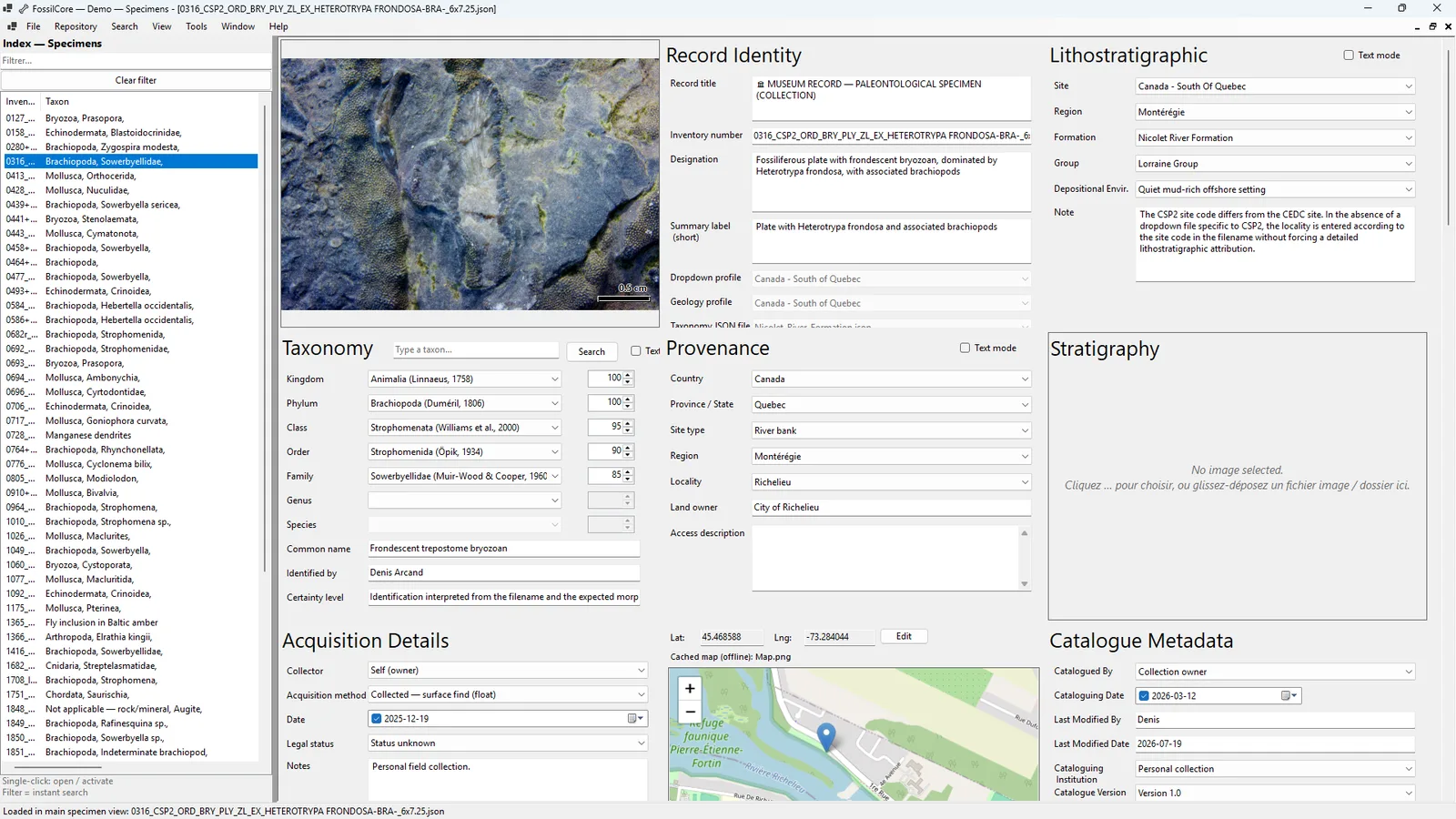
A record can hold much more than an identification.
FossilCore supports structured sections for record identity, acquisition, provenance, taxonomy, geological age, lithostratigraphy, physical description, preparation, conservation, taphonomy, references, exhibition value, documents and other collection information.
Profiles let you choose which panels matter for the work you are doing rather than forcing every record into the same screen.
Advanced analysis, media and workflows
Advanced search
Use extended filters including date ranges, secondary fossils and additional criteria.
Four-image management
Maintain up to four independently configured specimen images and select the system default.
Image annotations
Add persistent circles, arrows and per-marker colors to specimen imagery.
Advanced catalogues
Use long descriptions, scale bars, higher-density layouts and binder-margin controls.
Rendered Word catalogue
Create the multi-page Specimen Images Catalogue as a Word document.
Collection Analytics & Health
Analyze collection composition, completeness and record health.
Graphical Collection Explorer
Explore taxonomy, geological time, stratigraphy and localities through graphical views.
Compare Specimens
Compare specimen records and images side by side.
Field Collecting Sessions
Plan and manage structured field sessions and related specimens.
Exhibition Manager
Prepare exhibition selections and associated presentation information.
Advanced PBDB tools
Use Paleobiology Database import/export and taxonomy workflows.
WoRMS integration
Search, verify, preview and import taxonomic lineage information from WoRMS.
Macrostrat integration
Use Macrostrat geology and map information in FossilCore workflows.
Advanced labels
Use multiple Avery formats and more flexible label layouts.
Taxon Key Builder
Build and manage advanced taxonomic identification keys.
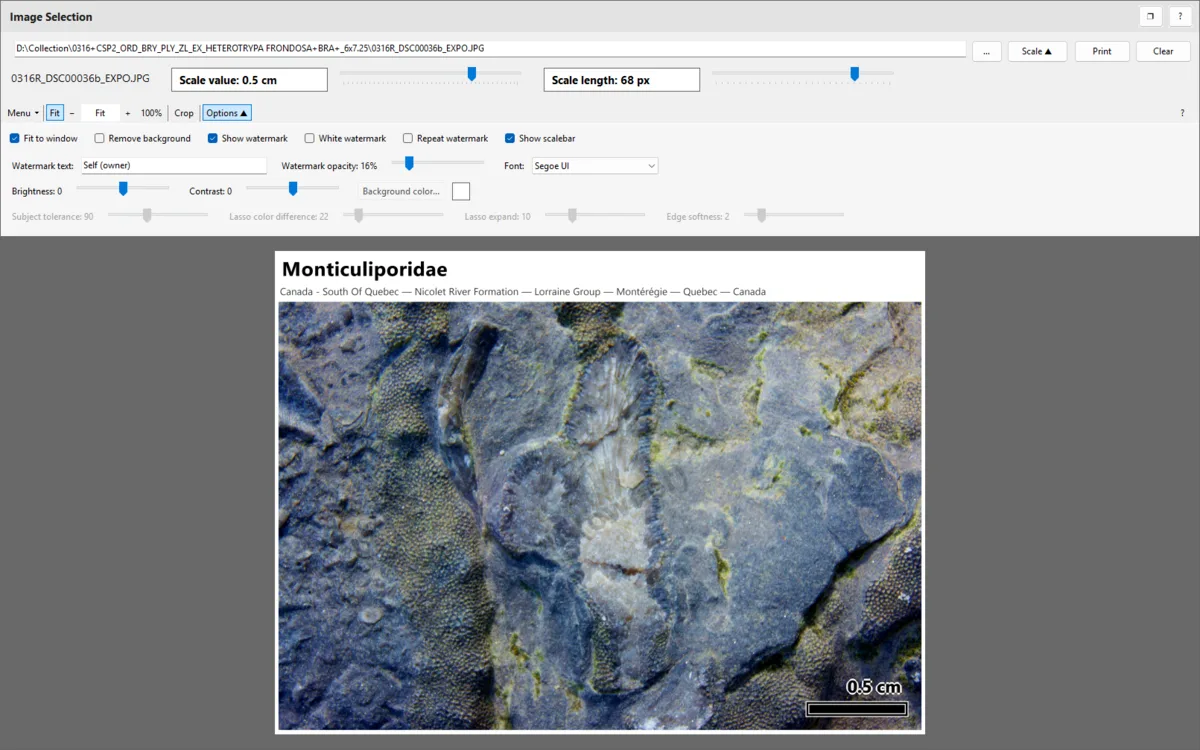
Keep visual interpretation with the specimen.
PRO expands image management from a representative image to a four-image workflow and adds persistent annotations. The original specimen image remains available while circles and arrows can be used to communicate visible features.
Organization and environment administration
Multi-user administration
Manage multiple FossilCore users and application roles.
Institutional administration
Use institution-oriented administration and deployment capabilities.
Shared storage administration
Configure and validate organization-wide shared storage locations.
Environment backup & restore
Back up or restore the complete institutional environment and shared security configuration.
Storage migration
Migrate older workstation storage into the controlled shared institutional layout.