
1. Confirm the active Collection
A Collection is the boundary for specimen, Site and profile work. Before editing records, confirm that the intended Collection is active and writable.
2. Prepare profiles
FossilCore can use configurable working profiles to determine which panels and controlled data are appropriate for a collection or task. Create or verify the profiles needed for your first Site before entering many records.
3. Create or verify a Site
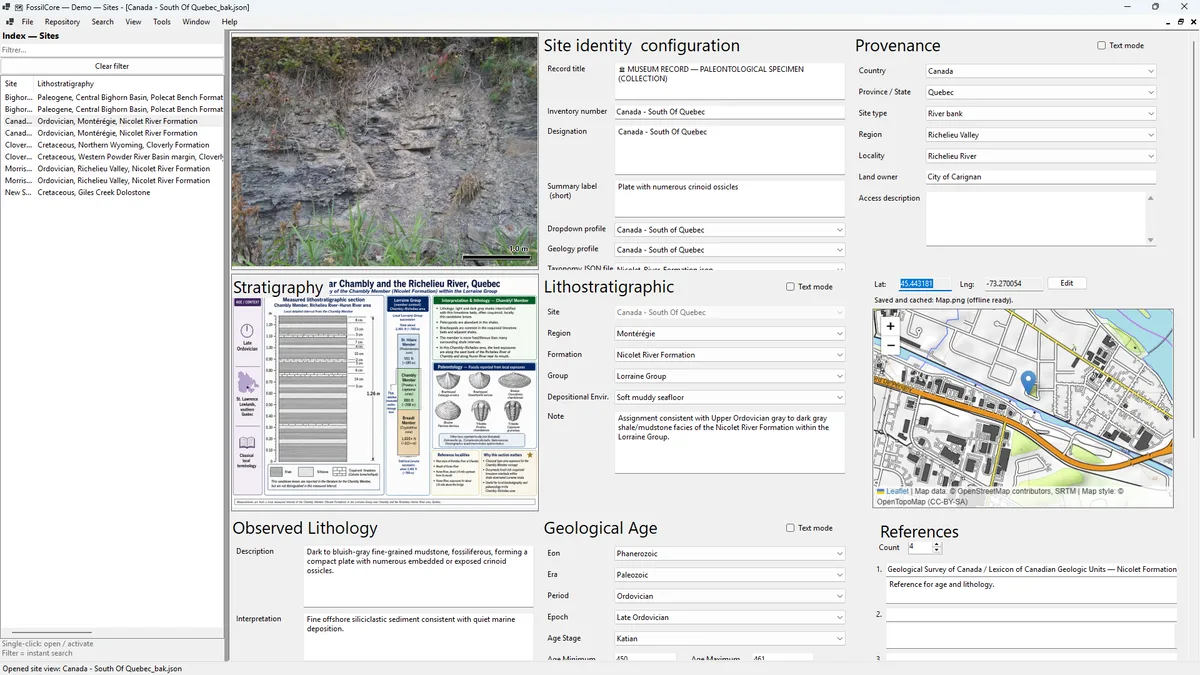
Use a Site record for locality, access and geological context shared by specimens from the same collecting location. Verify the Site before creating specimens so inherited information starts from the correct source.
4. Create the specimen
Create a specimen from the correct Site, then review inherited locality/profile context. Add the record identity and inventory information before moving into specialized sections.
5. Add the scientific and visual context
- Representative specimen image
- Taxonomic identification
- Geological age and lithostratigraphy
- Provenance and acquisition information
- Physical description and relevant measurements
- References, preservation, preparation and other panels as appropriate
6. Save and review
Review the record in the active Collection rather than relying only on the data-entry screen. Use search, the repository list and Collection Explorer to confirm that important classification and locality fields behave as expected.
7. Make a backup
Create a Collection backup after initial setup and before large imports, migrations or restructuring. See Backup & recovery.